
Overview
A webhook is a notification sent from Primer to your server using an HTTPPOST request.
You can use webhooks to be notified of:
- Payment status updates
Useful for asynchronous processor connections, where you do not get an immediate authorization response. - Refund completion
Notified when a refund reaches a final state. - Payment operation failures
Notified when a capture, cancellation, refund, or authorization adjustment attempt fails without changing the payment status. - Disputes and chargebacks
Notified when a dispute is opened. - Workflow run failures
Recommended if you use Capture or Cancel via Workflows.
Delivery model (read this first)
This section defines the expected behavior of Primer webhooks.What counts as a successful delivery
A webhook delivery is considered successful when Primer receives any HTTP2xx response from your endpoint.
Any response outside the 2xx range, including 3xx redirects, is treated as a failure and will trigger retries.
How fast should my endpoint respond
Your endpoint should return a2xx response immediately upon receiving the webhook.
Do not perform long or complex processing before responding. A good pattern is:
- Validate signature and basic payload shape
- Enqueue the work (or store the event)
- Respond with a
2xxstatus code - Process asynchronously
Timeout
Primer uses a 10 second timeout for webhook delivery attempts.If your endpoint does not respond within this window, the attempt is treated as a failure and retries may happen.
When will I receive webhooks
Webhook delivery typically happens within seconds of the underlying change (payment status update, refund completion, dispute opened, etc.), but is not guaranteed to be immediate.Retries
If a delivery attempt fails, Primer retries the webhook up to 5 times with increasing delays. Typical retry schedule:- ~10 seconds
- ~60 seconds
- ~5 minutes
- ~10 minutes
- ~15 minutes
After the final retry attempt, the event is dropped and will not be retried again.
Ordering and event recency
Webhook ordering is not guaranteed. To detect the latest payment status change, comparepayment.dateUpdated and keep the newest one.
Delivery guarantees and idempotency
Primer webhooks are delivered at least once. This means that in rare cases, the same webhook event may be delivered more than once. Your system must be able to handle duplicate deliveries safely. To do this, webhook processing should be idempotent. Recommended approaches:- Store a unique key per processed event and ignore duplicates
- Use stable identifiers from the payload, for example:
payment.id+payment.dateUpdatedfor payment status updatespayment.id+ latest refund transaction timestamp for refundstransactionIdfor disputes
Set up webhooks
Set up a webhook in the Developers area of the Dashboard. Webhooks are sent with aPOST request to your endpoint.
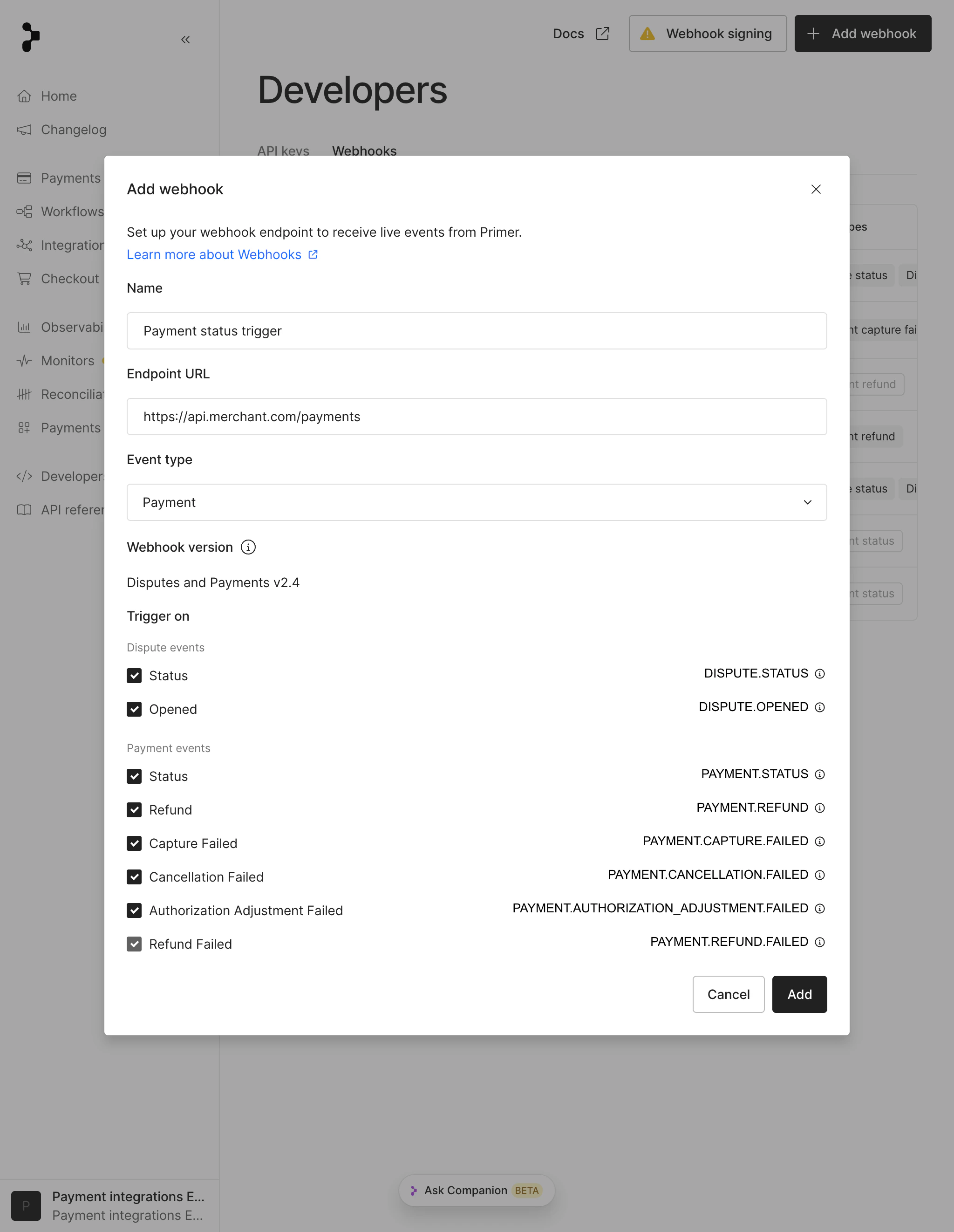
Add a webhook
Test webhooks
Click Test webhook to send an example request to your endpoint.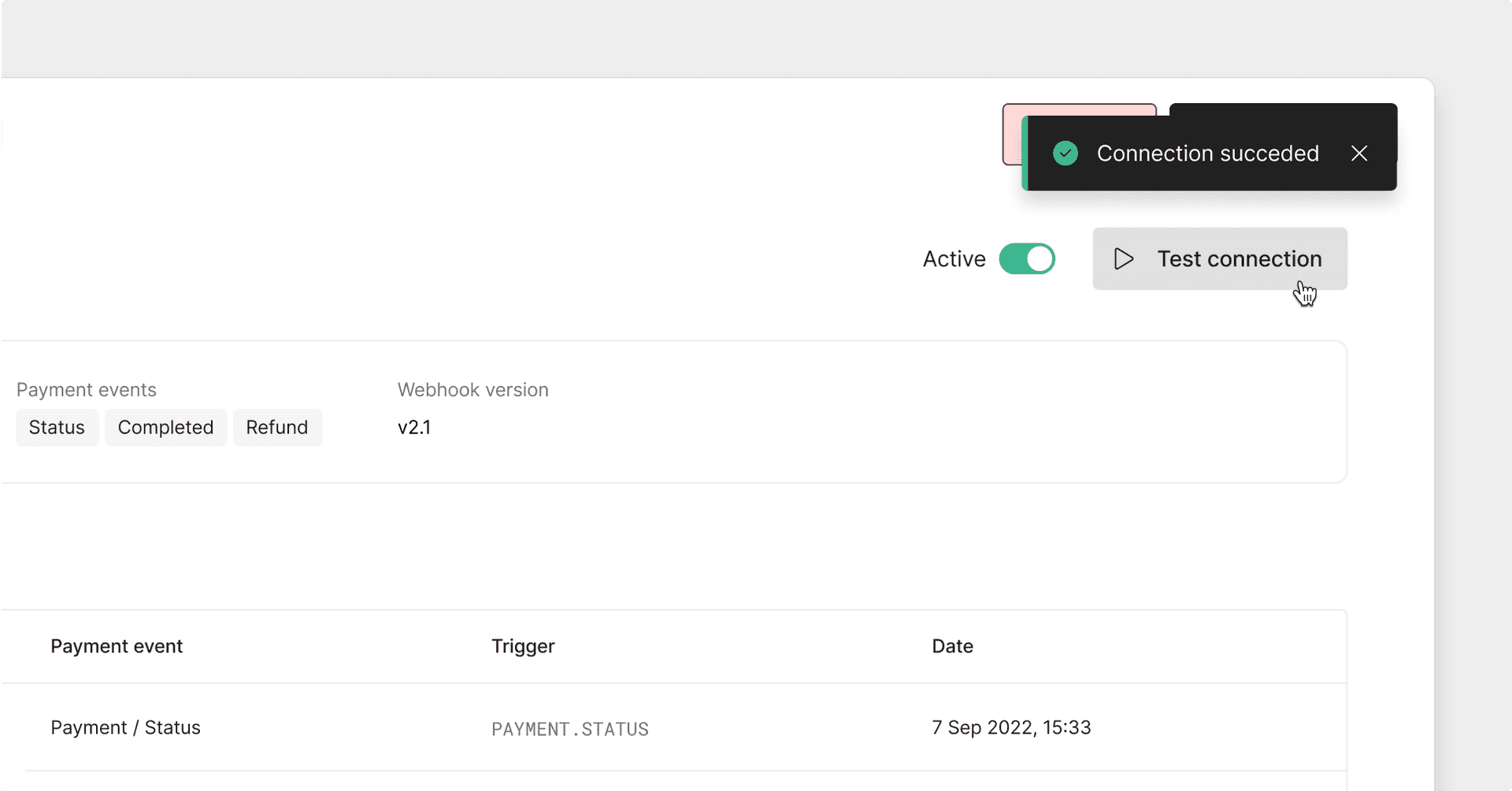
Test a webhook
Webhook event types
Payment status updates
Payment status notifications are sent whenever a payment status changes. The webhook payload contains the full payment object. ExampleSee the migration guide to update to the latest versions of the webhook event.
Refunds
Refund notifications are sent when a refund reaches a final state. Check the most recentREFUND transaction in the payment transactions:
- the refund succeeded and funds were returned
- the refund failed Example
Payment operation failures
Failed operation notifications are sent when a capture, cancellation, refund, or authorization adjustment attempt fails but the payment status does not change. These webhooks use a minimal payload. CallGET /payments/{id}?expand=transactions.events to retrieve full details.
Example
Disputes and chargebacks
Dispute notifications are sent when a dispute or chargeback is opened.Workflow run failed
This webhook is recommended if you use Capture or Cancel via Workflows. A workflow failure does not necessarily fail the payment or update the payment status. For more details, see the Automation documentation.Webhook signing
Primer can sign webhook events so you can verify that they were sent by Primer. Each webhook request includes the following headers:X-Signature-PrimaryX-Signature-Secondaryonly present during signing secret rotation
Prevent replay attacks
Each webhook payload includes asignedAt field, representing the Unix timestamp of when the webhook was signed.
When validating a webhook, you should verify that:
- the signature is valid
- the
signedAttimestamp is close to your current system time
Primer recommends a maximum difference of 3 minutes If Primer retries a webhook, it is signed again. Each retry has a newsignedAtvalue and a new signature.
Verify signatures (Python example)
Set up your signing secret
Create a signing secret from the Webhooks section of the Primer Dashboard. Signing secrets are environment specific. Each environment (Sandbox and Production) has its own secret. You can only copy the secret once. Make sure to store it securely.Rotate your signing secret
You can rotate your active signing secret from the Dashboard at any time. When a secret is rotated:- the previous secret remains valid for 24 hours
- both signatures are sent during that period Webhook request headers during rotation:
X-Signature-Primarysigned with the new secretX-Signature-Secondarysigned with the previous secret During the transition window, your endpoint should verify the webhook against both signatures.
Checklist
If you experience missing or repeated webhook events:- Ensure your endpoint responds with a
2xxstatus code quickly - Avoid HTTP redirects
- Handle duplicate deliveries safely
- Compare
payment.dateUpdatedto determine the latest state - Verify webhook signatures and
signedAttimestamps