
Overview of Primer’s Vault
Looking to migrate your existing saved payment methods to Primer? Check out our token migration guide
Securely store payment method information
Primer’s Vault is a centralized PCI-DSS Level 1 service you can use to store the details of a customer payment method in a unified way. Sensitive payment data is stored as a secure multi-usepaymentMethodToken that enables:
- recurring merchant-initiated payments
- a seamless one-click experience for your customers with Universal Checkout
paymentMethodToken is paired with a customerId which uniquely identifies identify a customer. You can use any unique identifier for this such as a UUID or an email address.
This customerId is required for:
- generating a client session to allow Universal Checkout to present your customer’s vaulted payment data for one-click checkout
- creating a payment request using
vaultOnSuccessorvaultOn3DSto save the customer’s payment data - managing stored payment data with the Payment Methods API to allow customers to add and delete vaulted payment method data from your site or app
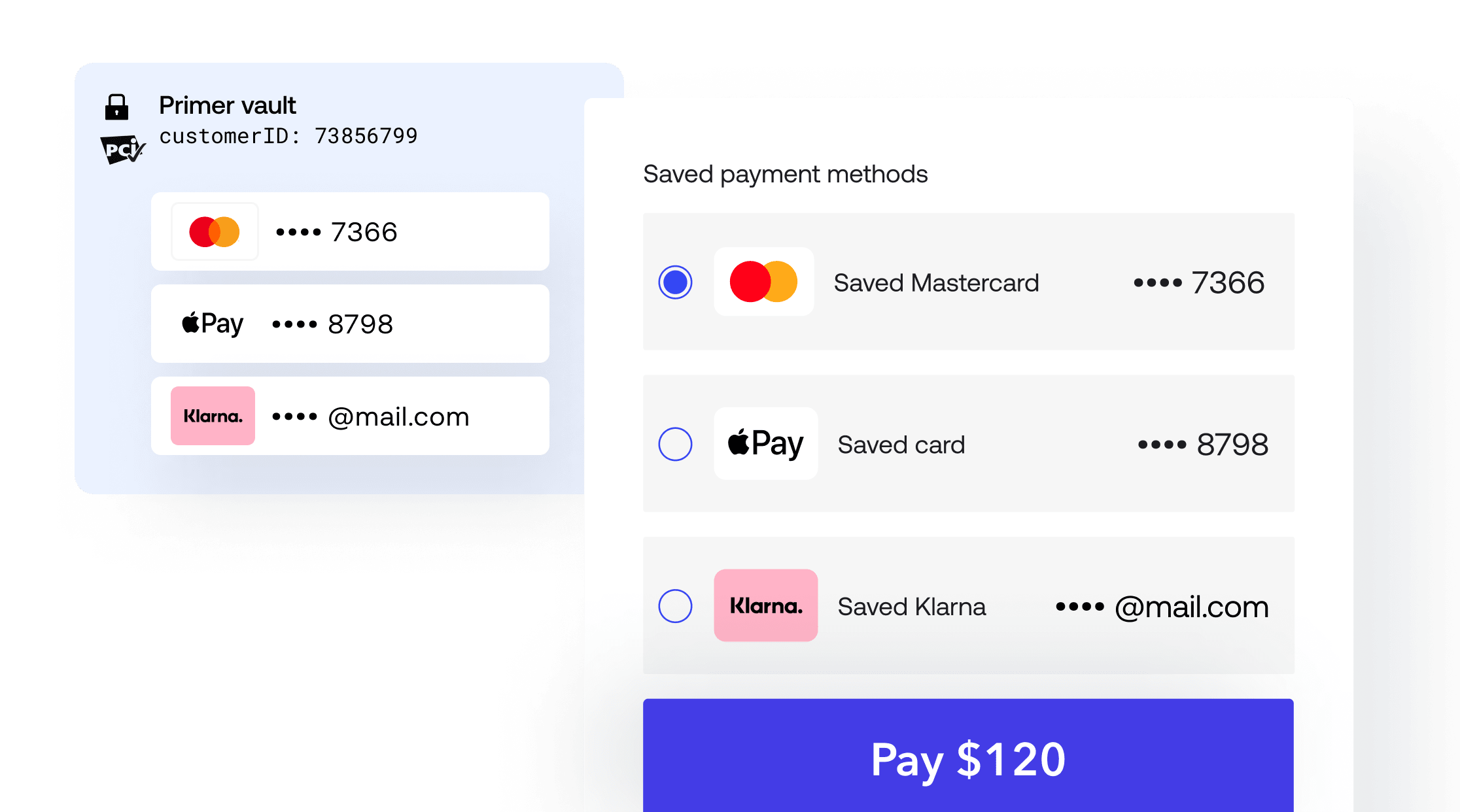
Primer's Vault
Intelligently optimized for auth rate approval
We’re fanatical about improving payments success. Primer will intelligently store data returned from your underlying processors to ensure the highest likelihood of success for recurring payments. This includes SCA authentication data as well as other data returned from card schemes and acquirers.Add payment methods to the vault
Not all payment methods can be added to Primer’s centralized vault. Refer to our payment method guides to know more about the capabilities of each payment method.
- Vault the payment method directly after the user has completed the payment method flow
- Vault after a successful authorization
Vault directly
To vault a supported payment method directly, additional options have to be passed to the SDK. Check the payment method guides to properly configure the Drop-in Checkout and Headless Checkout to vault each compatible payment method.Vault after authorization success or 3DS authentication
For card-based payment methods (Cards, Google Pay and Apple Pay), it is recommended to vault after a payment has been successfully authorized. This ensures the card is valid and is suitable for making payments. Primer supports two vaulting options for card flows. These can be set in the Client Session API or the Payments API underpaymentMethod.
Make sure to pass customerId to specify the customer’s vault this payment method should be added to.
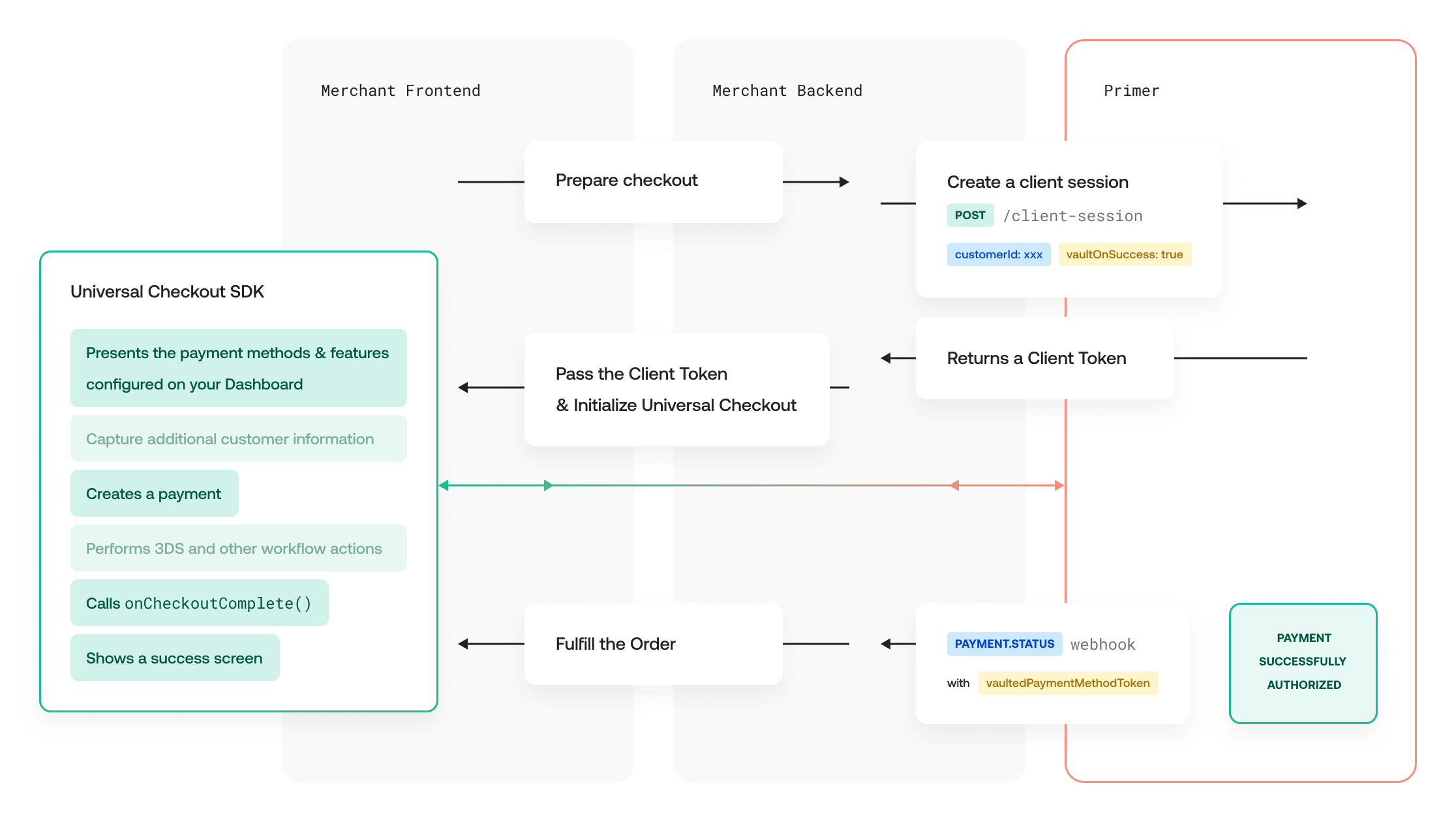
Vaulting Token Flow
vaultOnSuccess
WhenpaymentMethod.vaultOnSuccess is set to true (and the payment method supports it), the payment method is added to the vault only after the authorization succeeds.
Use this when you want to save the card only if the payment is successful.
vaultOn3DS
WhenpaymentMethod.vaultOn3DS is set to true (and the payment method supports it), the payment method is added to the vault as soon as 3DS authentication succeeds.
Use this when your flow can have a successful 3DS authentication followed by an authorization that may fail (for example soft decline and later retry), and you still want to save the card after the customer completed SCA.
vaultOnAgreement
WhenpaymentMethod.vaultOnAgreement is set to true, the payment method is added to the vault when the customer explicitly agrees to future payments.
This option is intended for agreement or mandate based flows without an immediate authorization, such as ACH Direct Debit.
At the moment, vaultOnAgreement is primarily supported for ACH payments via Stripe, where the customer mandate is collected separately from any charge.
vaultOnAgreement is mutually exclusive with other vaulting options and cannot be combined with vaultOnSuccess or vaultOn3DS.
Make payments with a vaulted payment method
Simplify the drop-in payment flow
Vaulted payment methods appear automatically on the drop-in checkout ifcustomerId has been provided in the client session and the customer has vaulted payment methods stored with Primer. This enables your customers to seamlessly pay with one of their saved payment method.
We recommend to set paymentMethod.paymentType to ECOMMERCE in the client session or payment request. This ensures the right data is sent to the processor to maximize the authorization rate.
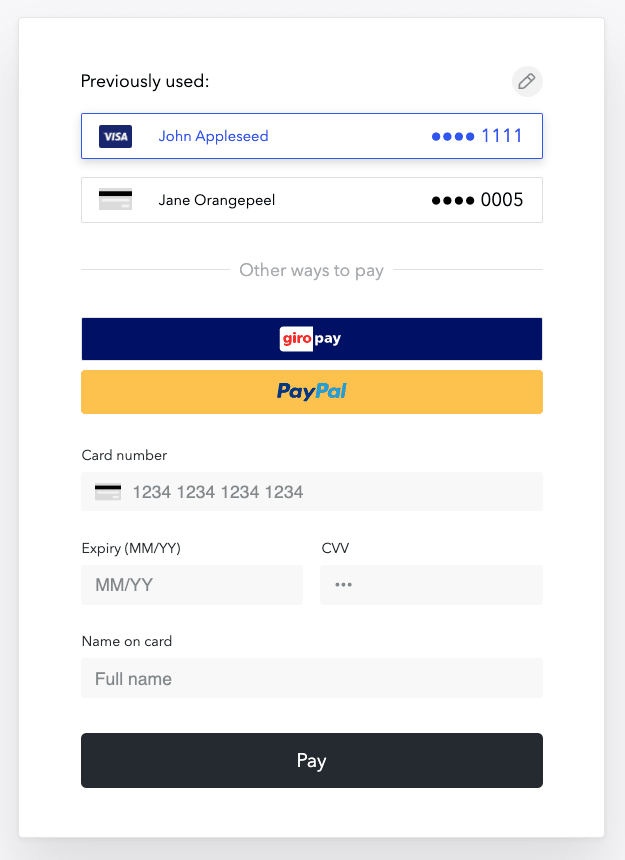
Universal Checkout Vault
Recapture the CVV of saved cards
PCI standards prevent entities like Primer from storing the CVV of a card when saving the card credentials for future payments. This means that subsequent card-on-file customer-initiated payments are always processed without the CVV. Although Primer sends the relevant parameters to tell each processor when a card-on-file payment occurs, some processors or issuers have a lower authorization rate when the CVV is not provided. To increase the chances of payment success, Primer enables you to ask the customer to re-enter the CVV of the selected saved card before processing the payment.Enabling CVV recapture on Drop-in Checkout
Include thecaptureVaultedCardCvv option within the PAYMENT_CARD payment method options in the POST /client-session request. When set to true, this flag activates the CVV recapture functionality in the Drop-In implementation, providing an out-of-the-box solution for transactions with vaulted payment cards.
Example Request:
JSON
Create merchant-initiated payments
You can use the Payment Methods API and the Payments API together to create merchant-initiated payments with a saved payment method.-
First, make a call to to get the list of payment methods tied to a
customerId. Each entry in the list contains atokenrepresenting the payment method token to use to create a payment. - Then, create a payment by calling . In addition to the required fields for creating a payment, pass the following data:
Reuse the multi-use (vaulted) token only for subsequent merchant-initiated payments (
SUBSCRIPTION or UNSCHEDULED). The customer’s first payment should use a single-use token with vaultOnSuccess — see Choose the right token type.Manage vaulted payment methods
With the Payment Methods API
The Payment Methods API lets you interact with the vaulted payment methods for all your customers. Use the Payments API to:- retrieve the saved payment methods associated to a customer with
- delete a saved payment method with
With Drop-in Checkout
When using Drop-in Checkout, customers have the ability to remove any of their previously vaulted ones.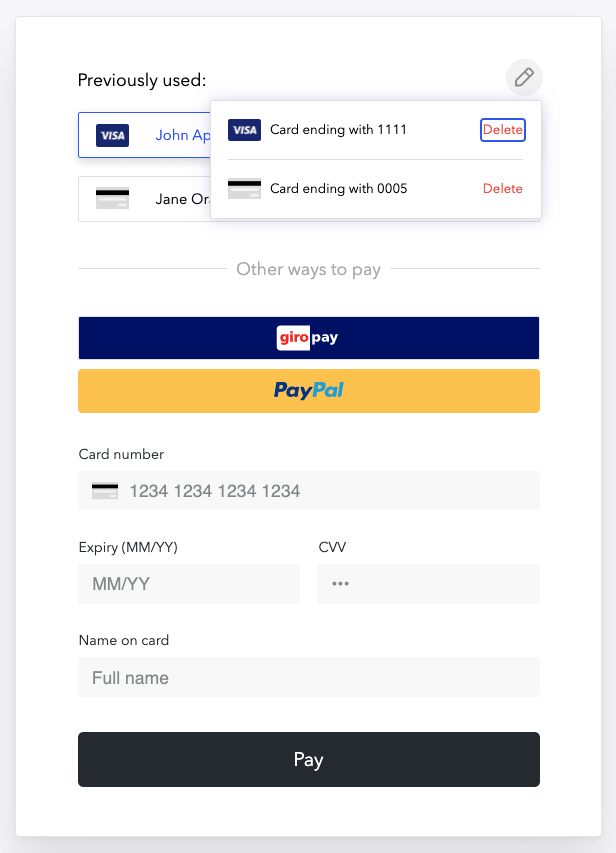
Universal Checkout Vault